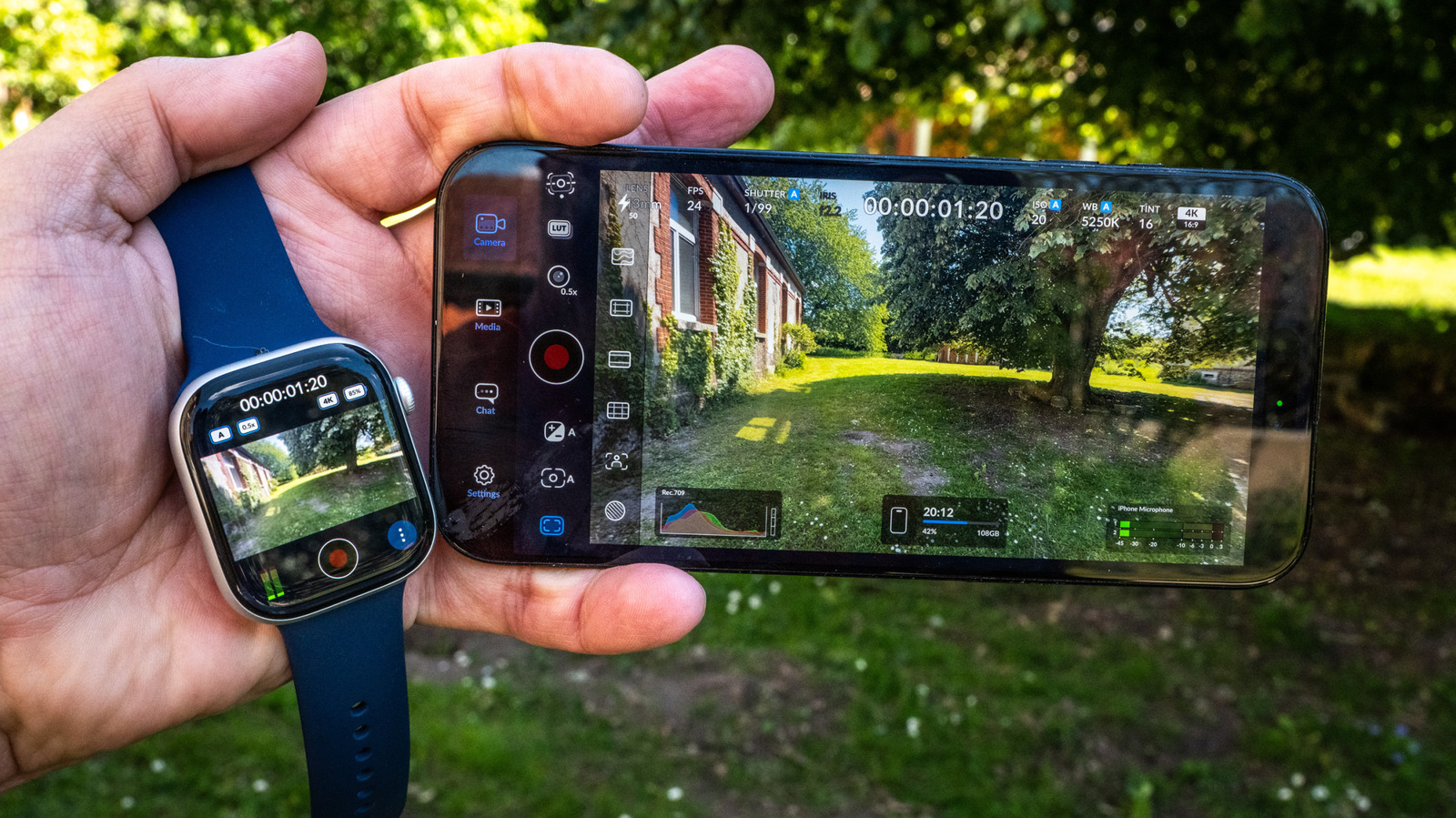
There are several reasons that droves of creators have adopted the Blackmagic Camera app in place of the iPhone’s native camera. It offers options demanded by pros like full manual control, ProRes video capture, and scopes for monitoring video. Most importantly, it’s free, unlike rival camera apps from VSCO, Adobe, and others.
Since iPhone creators don’t usually have a camera crew, Blackmagic Design is offering some help with its latest version 3.3 update. You can now control the app from your wrist thanks to a new Apple Watch app that lets you monitor video, start and stop recording, and apply LUTs.
Why use the app?
The native iPhone camera is powerful enough for most users, but lacks features needed for more creative work. It offers no way to make manual adjustments for shutter speed and white balance, and has limited video format options. The built-in app also lacks scopes, LUTs, and other pro-level features.
Blackmagic Camera provides all of those things with a clean, elegant interface. The main camera screen lets you choose key settings like shutter, ISO, and white balance - tapping on each one lets you change them manually. You can also adjust focal length, fps, exposure compensation, autofocus, and LUTs.
Digital stabilization is available in three modes: Standard, Cinematic, and Extreme. The first two smooth out normal camera shake, while Extreme corrects significant movement - such as when running - albeit with a noticeable crop. Stabilization is applied after recording, so results won’t be visible during shooting.
A separate settings page covers video codecs (10-bit ProRes, H.264, or H.265), bitrate, resolution, color space, and more. Along with standard 16:9 4K video, the app supports open-gate capture for outputting both vertical and horizontal video.
ProRes RAW video capture is possible on an iPhone 17 Pro or Pro Max, but requires a fast USB-C external SSD. Stabilization for ProRes RAW is now supported with iOS 26.1 and above, a feature missing from previous versions.
The app includes a solid range of monitoring scopes - false color, grids, zebras, focus peaking, histograms, and stereo audio meters. A vertical frame guide assists when shooting for both vertical and horizontal platforms. A “Slate” feature lets you log project name, lens data, and other production details.
Testing the app on an iPhone 16 Pro Max with iOS 26.4 installed, granular control over shutter speed and white balance enabled creative adjustments like controlling motion blur and applying filmic looks via LUTs. The 10-bit ProRes 422 log capture proved particularly useful for color grading in post-production.
The Apple Watch remote control installed automatically upon updating to version 3.3.
Source: Blackmagic Camera 3.3 Adds Apple Watch Remote Control for Solo Creators